

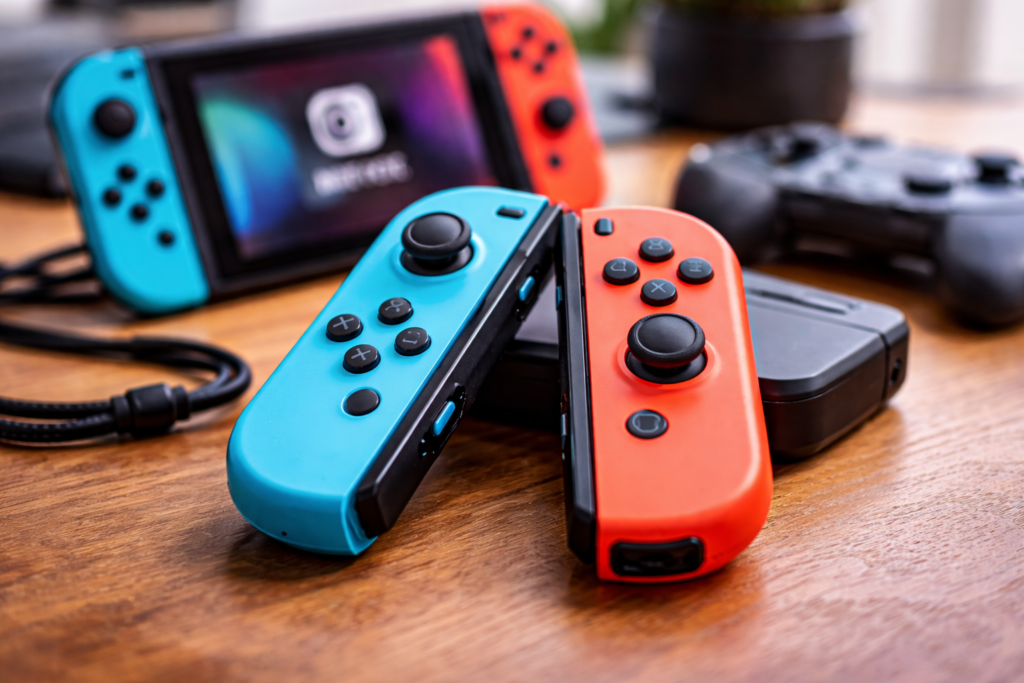
You’re playing a game and everything feels normal until your character starts moving on its own. Or the camera slowly turns like someone is touching the joystick, even though your hands are still. That frustrating moment is what players call “drift”—and it’s the most common complaint people share about nintendo joy cons.
Joy-Con drift is one of the biggest worries for people buying nintendo joy cons today. The tricky part is that many buyers “upgrade”, spending money before checking a few simple things that could save time and stress.
This guide keeps it practical: what drift is, why it happens, what you should try first, and how to decide whether to repair, replace, or choose a different setup.
What drift really means (simple explanation)
Drift happens when the joystick sends movement signals even when you are not touching it. You may notice:
- Your character walks by itself
- Menus scroll without input
- The camera keeps moving
- Aiming feels unstable
Because nintendo joy cons are used in handheld mode and docked mode, drift can feel extra annoying. In handheld mode, small errors feel bigger because your hands are closer to the controls.
Why drift happens
Most drift problems come from normal use, not “bad luck” alone.
1) Wear and tear
Joysticks are moving parts. Over time, the inside parts can wear down—especially if you play action games, racing games, or anything with constant movement.
2) Dust and tiny debris
Dust, pocket lint, and small particles can build up near the base of the joystick. Even careful users can face this, especially if the console travels often.
3) Small design trade-offs
The strength of nintendo joy cons is that they are compact, removable, and flexible. But compact designs also mean small parts working hard every day. That can increase drift risk over time.
Before you upgrade: 6 smart checks
Before spending money, do these quick checks. They won’t fix every drift case, but they often help you avoid unnecessary replacement.
1) Recalibrate the joystick
Use the system’s joystick calibration tool. If the drift is mild, recalibration can reduce errors or confirm the problem clearly.
2) Update the controller/system
Software and firmware updates sometimes improve controller behavior, sensitivity, and stability.
3) Test in more than one game
Try two different games and the home menu. If the menu scrolls by itself, it’s a strong drift sign.
4) Identify which Joy-Con is drifting
Is it only the left one? Only the right one? Both? This matters because your solution can be cheaper and more focused.
5) Check for physical damage
Even one drop can affect joystick feel. If the stick feels loose, gritty, or uneven compared to the other controller, it may be more than a small calibration issue.
6) Do a gentle surface clean around the stick base
The goal is simple: remove surface dirt and grime near the joystick opening. Avoid aggressive methods that can cause new damage.
Repair vs replace: a simple decision
Here’s a clean way to decide.
Repair makes sense if:
- Drift is mild or occasional
- The controller is new or lightly used
- You want the lowest-cost fix first
- You can handle some trial and error
Replace makes sense if:
- Drift is frequent and ruins gameplay
- Multiple controllers in the house are drifting
- Kids or many users share the console
- You want reliability without repeated troubleshooting
If you are replacing nintendo joy cons often, the real “upgrade” might not be another Joy-Con pair—it might be changing how you use controllers.
What “upgrade” should really mean
A smart upgrade is not just “new.” It’s “better for your play style.”
If you mostly play handheld
Handheld players usually value comfort, portability, and easy charging. If you use nintendo joy cons daily in handheld mode, proper storage (case) and gentle handling make a bigger difference than most people think.
If you mostly play on TV (docked)
If most of your playtime is docked, many gamers reduce drift frustration by using another main controller for docked play and keeping nintendo joy cons for party games, motion control games, and quick multiplayer.
This doesn’t “solve” drift, but it reduces how much drift disrupts your gaming.
Alternatives that can reduce drift frustration
1) A dedicated docked controller setup
For people who mostly play on a TV, shifting the “main controller” role away from drifting Joy-Cons is often the most noticeable improvement.
2) Third-party controllers (be careful)
Some third-party controllers are great value. Others are disappointing. If you buy one, check:
- Compatibility
- Return policy
- Warranty
- Reviews that mention long-term use (not just first impressions)
3) Accessories that help but don’t cure drift
Grips and thumb caps can improve comfort and control, but they don’t guarantee drift prevention. Think of them as comfort upgrades.
Real-world scenarios (what to do)
Scenario A: “My first pair drifted—should I buy again?”
If you love the Joy-Con style, yes, you can replace nintendo joy cons. But first, confirm drift through recalibration and testing. Also plan better storage and usage habits to reduce repeat issues.
Scenario B: “Kids use it daily.”
Heavy daily use increases wear. Consider a setup where nintendo joy cons are used for handheld and group games, while another controller handles long docked sessions.
Scenario C: “I mostly play docked.”
Your best value upgrade is usually improving your main docked controller experience. Keep nintendo joy cons as the flexible backup, not the only option.
What to check before buying (quick list)
- Stick feel: returns to center smoothly, not loose
- Buttons: consistent click, no sticky feel
- Comfort: works for your hand size and session length
- Charging: easy charging method for your routine
- Storage: case/protection if you travel
- Warranty/returns: clear policy for peace of mind
- Use-case fit: handheld-heavy or docked-heavy
Bottom line
Drift is frustrating, but rushing into an upgrade can waste money. First, test, recalibrate, and identify the exact problem. Then decide: repair, replace, or adjust your controller setup based on how you play.
If you upgrade wisely, it will feel like a real improvement—not just a repeat purchase.
Read other articles at:https://InfoPillsTV.com